Latest Fashion: Knit Midi Dress with Strategic Cut-Outs | Highlight Cover Prompt
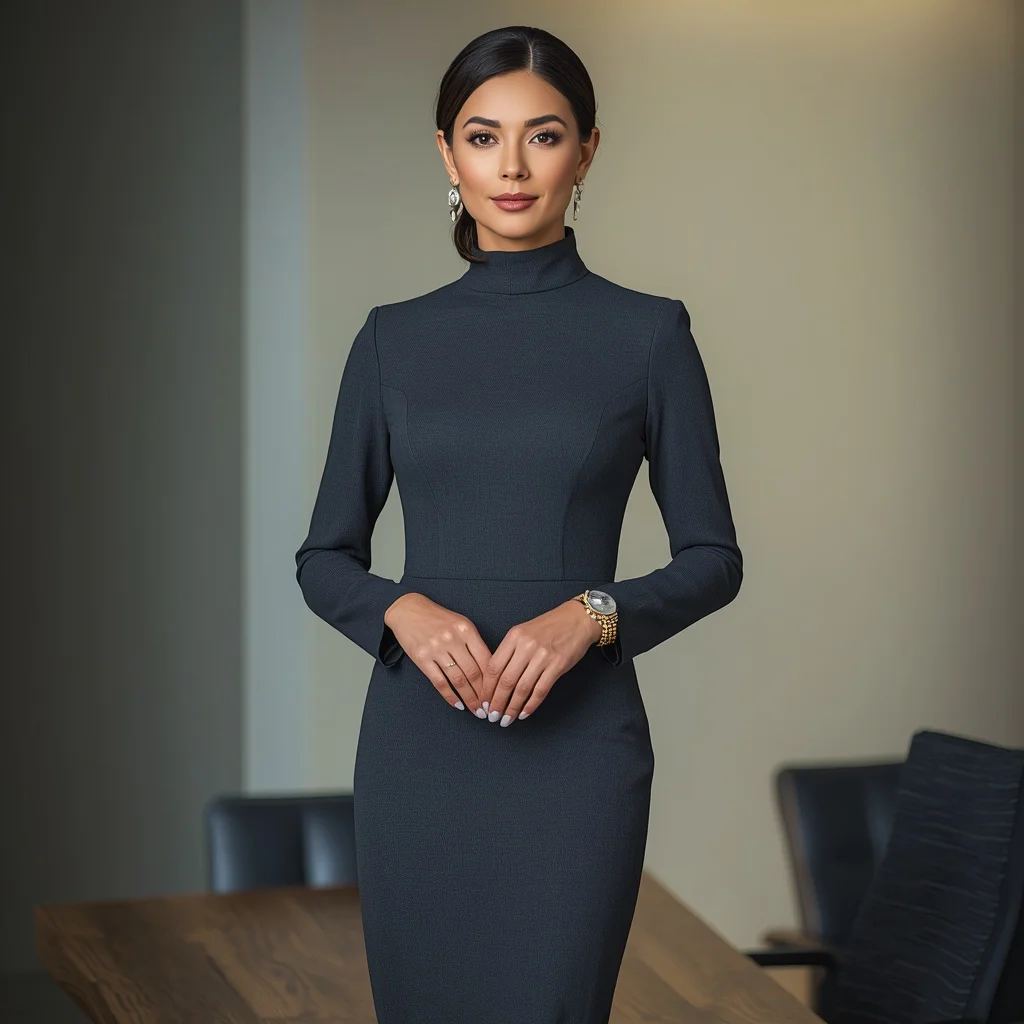
A knit midi dress with strategic cut-outs is the kind of statement piece that instantly reads as high fashion. This prompt puts a model in a rich camel fine-gauge knit, lets the cut-outs frame the waist, and finishes the look with leather mules and a structured handbag, all under soft directional studio light.
The result is a clean, modern editorial image that feels pulled straight from a luxury campaign. Whether you are testing AI fashion capabilities or building a highlight cover, this prompt gives you control over silhouette, texture, and atmosphere without needing a physical studio.
What this camel knit midi dress prompt is asking for
The prompt describes a cutting-edge fashion editorial shot centered on a single model. Every detail supports a contemporary, minimalist aesthetic, from the camel color and fine-gauge knit to the asymmetric hemline and strategic waist cut-outs. The accessories stay deliberately understated so the dress remains the focus, while the studio lighting sculpts the fabric and skin.
- A model wearing a trendy knit midi dress in rich camel
- Fine-gauge knit fabric with strategic cut-outs at the waist
- Asymmetric hemline on the dress
- Minimalist leather mules on the feet
- A sleek, structured handbag
- A chic low ponytail hairstyle
- Clean, minimalist studio background with soft, directional lighting
The studio scene in this editorial knit dress shot
The scene is stripped back to essentials. The prompt sets the model against "a clean, minimalist studio set," which means no distracting props, no busy textures on the walls or floor. The phrase "soft, directional lighting" tells the AI to use one key light that wraps gently around the subject, carving out the cut-outs and the asymmetric hemline without harsh shadows.
The styling reinforces the mood. "Minimalist leather mules and a sleek, structured handbag" keep the silhouette long and uncluttered. The "chic, low ponytail" pulls the hair away from the neckline so the eye travels straight to the waist cut-outs and the asymmetric hem. Everything works together to emphasize what the prompt calls "the dress's contemporary design."
Why this knit midi dress prompt works for AI generation
This prompt succeeds because it combines a clear focal garment with precise lighting and styling instructions. The AI does not have to guess about fabric, color, or silhouette, and the minimalist background prevents visual clutter that could confuse the generator. The result is a consistently high-end fashion image that highlights texture and form.
- The fine-gauge knit and camel color give the AI a specific texture and warm neutral palette to render accurately
- Strategic cut-outs and an asymmetric hemline create strong geometric shapes that read clearly in a generated image
- Soft directional lighting on a clean studio set removes background noise, keeping the model and dress as the undisputed focal point
Three visual styles that stay inside this fashion prompt
You can steer the output toward three distinct aesthetics without breaking the core description. Each style keeps the camel knit midi dress, the cut-outs, the mules, the handbag, and the studio setting intact while shifting the mood through lighting, pose, or post-processing cues added to the prompt.
- High-contrast editorial: Push the directional lighting harder by adding 'deep shadows, bright highlights, glossy magazine finish' to make the cut-outs and asymmetric hemline pop like a luxury fashion spread.
- Soft minimalism: Add 'diffused daylight, matte skin, barely-there makeup' to give the camel knit a calm, Scandinavian look that keeps the focus on the fine-gauge texture.
- Warm monochrome: Introduce 'tonal camel backdrop, warm amber gel on the key light' to wrap the whole frame in a cohesive earthy palette that echoes the dress color.
How to generate this camel knit midi dress editorial step by step
Start by copying the full prompt text exactly into your chosen AI image tool. If the platform supports reference images, upload a photo of a similar knit midi dress or a minimalist studio shot to guide the composition. Generate a batch of four to six images, then inspect the results closely for fabric consistency, cut-out placement, and hand anatomy before upscaling.
- Copy the prompt. Paste the full prompt, including the '8k' and 'high fashion' tags, into the text field of your AI image generator.
- Upload a reference photo. Add an image of a fine-gauge knit dress or a clean studio fashion shot to help the AI lock in the lighting and silhouette.
- Generate a batch. Run four to six variations initially so you can compare how different seeds handle the asymmetric hemline and waist cut-outs.
- Check the cut-outs and hemline. Zoom in on the waist area to confirm the strategic cut-outs appear intentional and the asymmetric hem reads clearly, not as a rendering glitch.
- Inspect hands and face. Look at the hand holding the structured handbag and the face near the low ponytail; regenerate if fingers merge or the ponytail looks unnatural.
- Upscale the best frame. Pick the image where the camel color, fine-gauge knit, and soft directional lighting look most cohesive, then upscale to full resolution.
Using a reference photo with this knit dress prompt
A well-chosen reference photo helps the AI understand how fine-gauge knit falls on a body and how directional light wraps around cut-outs. The reference does not need to match the exact camel dress; it just needs to share the same fabric weight, studio setup, or posing style so the generated image stays coherent.
- Pick a photo of a knit midi dress in a neutral tone so the AI learns the drape and ribbing without being distracted by a clashing color
- Choose a reference shot with a plain studio background and one main light source to reinforce the 'soft, directional lighting' described in the prompt
- Make sure the model in the reference has a simple hairstyle like a low ponytail or pulled-back hair so the AI does not introduce competing detail around the neckline
AI tools for generating this knit midi dress editorial
Different AI image platforms handle fabric texture and fashion details with varying levels of realism. The table below compares four accessible tools and notes how each one can serve this specific camel knit midi dress prompt, from the fine-gauge knit to the structured handbag.
| Tool | Access | Typical realism | Useful here for |
|---|---|---|---|
| ChatGPT | Built into ChatGPT Plus or Enterprise | Good, with coherent fabric and lighting | Rendering the fine-gauge knit texture and the soft directional lighting on the camel dress |
| Google Gemini | Available through Google AI Studio or API | Moderate to good, improving on textures | Capturing the clean minimalist studio set without adding unwanted background elements |
| Leonardo AI | Web app with free and paid tiers | High, with strong fashion and texture rendering | Nailing the strategic cut-outs at the waist and the asymmetric hemline with photorealistic precision |
| Midjourney | Discord-based with subscription plans | Very high, cinematic and editorial quality | Producing the sleek, structured handbag shape and the chic low ponytail with natural hair movement |
Three tips for refining the camel knit midi dress image
Small adjustments to the prompt or generation settings can fix common texture and styling issues. These tips focus on the real materials and objects already named in the prompt, so you stay true to the original look while improving output quality.
- If the fine-gauge knit looks flat, add 'visible ribbing and light catching the knit texture' to give the camel fabric more depth
- When the leather mules blend into the floor, specify 'light glancing off the leather mules to separate them from the studio floor'
- If the structured handbag loses its shape, append 'sharp edges and defined top handle on the structured handbag' to restore the accessory's clean geometry
Common issues with this knit dress prompt and how to fix them
Even a well-written fashion prompt can produce images where the cut-outs look like holes, the asymmetric hemline reads as a mistake, or the knit texture turns into smooth fabric. The table below lists four failures this prompt can actually have and the exact prompt tweaks that correct them.
| Issue | What to change |
|---|---|
| Cut-outs look like rendering errors | Add 'cleanly finished edges around the waist cut-outs, no fraying or jagged lines' |
| Asymmetric hemline appears as a symmetrical dress with a glitch | Insert 'clearly intentional asymmetric hemline, shorter on one side, professionally finished edge' |
| Fine-gauge knit renders as smooth cotton or silk | Add 'visible knit stitches, fine ribbing across the camel fabric, matte wool-blend texture' |
| Low ponytail looks stiff or unnatural | Add 'soft, slightly undone low ponytail with a few loose strands around the face' |
Frequently Asked Questions
Can I change the camel color to another neutral shade without breaking the prompt?
Yes, you can replace 'rich camel' with a similar warm neutral like 'oatmeal,' 'taupe,' or 'warm beige.' Keep the rest of the prompt identical, and the fine-gauge knit, cut-outs, and studio lighting will still produce a cohesive editorial image. Avoid switching to a dark or bright color that would clash with the minimalist aesthetic.
Does this prompt work for full-body and close-up shots?
The prompt is written for a full-body or three-quarter editorial shot because it describes the asymmetric hemline, leather mules, and low ponytail in one frame. For a close-up, remove the mules and hemline references and focus on the knit texture, waist cut-outs, and ponytail against the clean studio background.
What should I do if the AI adds extra accessories I did not ask for?
Some generators will add jewelry, belts, or sunglasses to fashion prompts by default. Add a negative prompt like 'no jewelry, no sunglasses, no belt, no additional accessories' to keep the look limited to the structured handbag and leather mules described in the original text.
Conclusion
This camel knit midi dress prompt gives you a complete, production-ready fashion editorial in a single generation. The combination of strategic cut-outs, an asymmetric hemline, and soft directional lighting creates an image that feels expensive and intentional. By following the scene breakdown, style variations, and troubleshooting steps above, you can generate consistent, high-end results across multiple AI platforms and adapt the output for highlight covers, mood boards, or portfolio work.
When you have the final image, open it in your preferred editor and refine the contrast or crop to fit your layout, as long as you have the right to edit the photo you generated.